
Piso WiFi Voucher Guide

Piso WiFi vouchers help users to buy internet sessions; it is the most convenient way to access the internet without inserting coins into the Piso WiFi machine. Many users prefer this method; users just need to enter their voucher code to log in to the portal and start their session. Many Piso WiFi owners use a Piso WiFi voucher system instead of coins because it is convenient for them to create a voucher and provide prepaid internet access with different times and data.
In this guide, you’ll understand how to create Piso WiFi vouchers and how to use these vouchers, and you’ll also learn about Piso WiFi vouchers’ common issues and fixes.
What Is a Piso WiFi Voucher?
Piso Wifi vouchers are prepaid access codes that allow users to enter their voucher codes in the login portal to access internet sessions instead of inserting coins in the vending machine. Users prefer to use vouchers; this makes the internet service more reliable and convenient. The voucher system is commonly used by network owners. It helps them to create custom vouchers and provide different internet packages based on time and data usage. Users can redeem their vouchers easily by going to the 10.0.0.1 IP voucher login page, which allows users to access internet sessions within minutes. Since the voucher system is popular, it is a convenient option for both users and owners.
How to Create a Piso WiFi Voucher
Creating a Piso WiFi voucher is simple. If you have administrator access and want to offer Piso WiFi services, follow these steps to generate a voucher for your users:
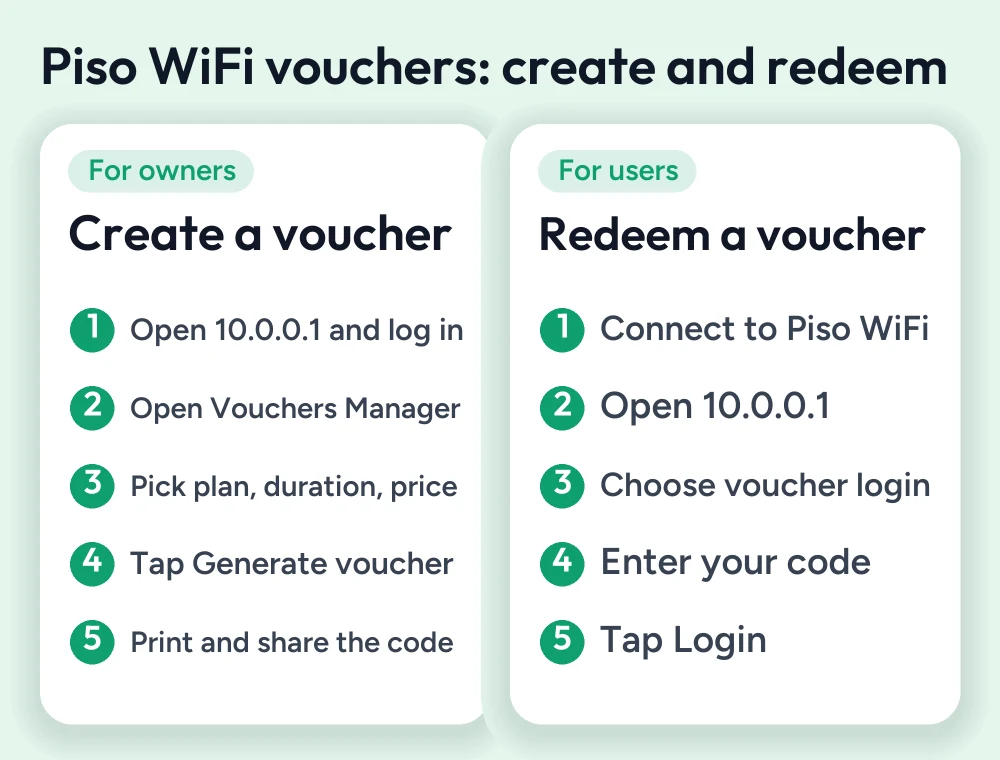
- First, make sure that your device is connected to the Piso WiFi network
- Open a web browser such as Google Chrome or Safari
- Enter IP 10.0.0.1 in the address bar and click Enter to access the login page
- Enter your login default credentials and click Login
- In the dashboard, open the Vouchers Manager or voucher section
- Select your voucher type and internet plan you want to offer, such as time- or data-based
- Create a voucher, entering voucher duration, price, validity period, data usage, and other details to complete the process
- Click on “generate voucher”; the system will create a unique voucher code automatically.
- Simply print the voucher to distribute to users
- After that, the user can enter the voucher code on the login page to start their internet session
How to Redeem a Piso WiFi Voucher
If you’re a user and buy a Piso WiFi voucher and don’t know how to access your internet session using the voucher, then follow these steps. The process is simple and easy.
- Turn on your device’s Wi-Fi connection and connect your device to the Piso Wi-Fi network
- Open any web browser such as Safari or Chrome
- Enter the Piso default login IP 10.0.0.1 in the address bar and click Enter to access the login page
- On the login portal, choose the option to log in using the voucher code
- Carefully enter your voucher code
- Click on Login; if the voucher is valid, the session will begin.
- You can now browse the internet until the voucher duration ends. When the voucher expires, your session automatically stops.
Benefits of Using Piso WiFi Vouchers
Using Piso WiFi vouchers has several benefits for both users and owners. Here are some benefits you get after redeeming Piso vouchers:
Quick and Convenient Access
After entering the voucher code, the user can get instant internet access without needing to enter coins every time in the machine.
Easy to Manage
Many network owners prefer to create vouchers because it’s easy to manage from one dashboard, making daily monitoring easy.
Flexible Internet Plans
Owners can offer different voucher varieties, making it easy for users to choose a specific time or data usage voucher, making it convenient and giving more options to users
Better Security
Each voucher comes with a unique code, making it reliable, preventing unauthorized access to the portal, and allowing only valid users to connect to the network.
Perfect for Businesses
Small businesses like schools, cafes, and other shops can easily sell these Piso WiFi prepaid vouchers; it’s easy to generate and helps them to earn some income
Reduces Cash Handling
Since many users prefer to use vouchers instead of codes, it becomes very helpful for users to handle coins for every session.
Easy to Track Usage
Since the voucher is monitored and generated through the Piso WiFi portal, it becomes easy to manage connected devices’ usage time and other voucher details.
Common Piso WiFi Voucher Problems
Although the Piso WiFi vouchers are easy to redeem and generate, sometimes users and owners face some troubleshooting errors. Here are some issues and their quick fixes.
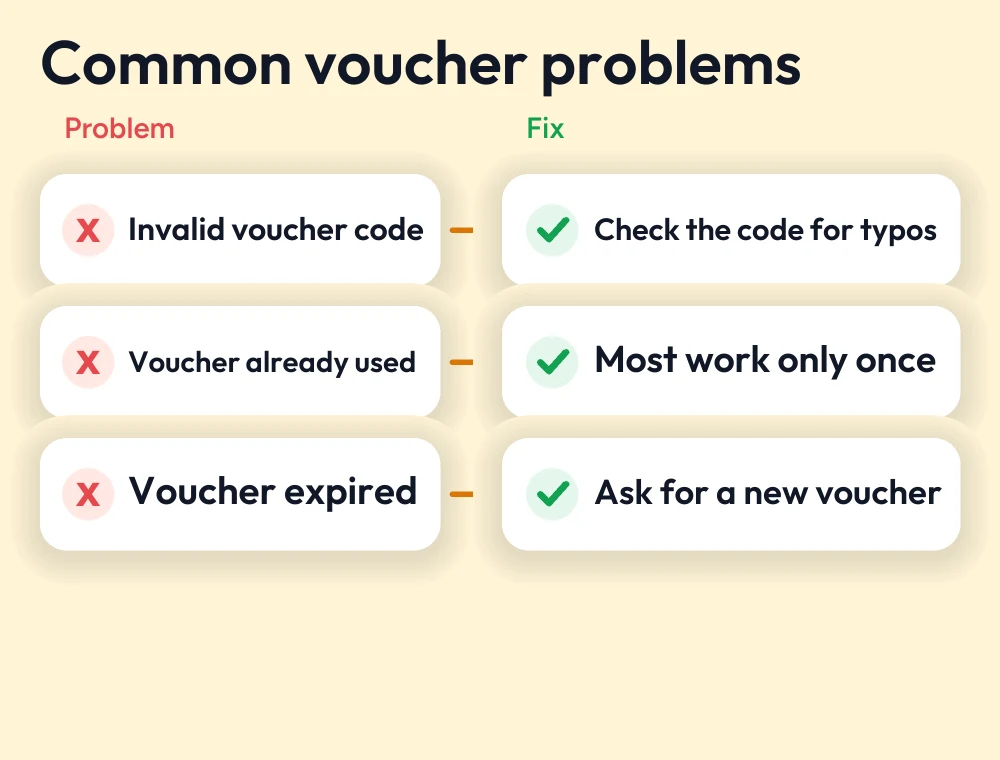
Invalid Voucher Code
Some users face invalid code problems. This problem is caused by typing mistakes before entering the code. Make sure to check the voucher code to see whether you entered the correct code or not.
Voucher Already Used
Many vouchers are only designed for one-time use. If a voucher has already been redeemed, it’s not possible to use this voucher again, and the system will reject it.
Voucher Expired
Every piso Wi-Fi voucher has its own duration and expiration date. If your voucher has expired, then it no longer provides you with internet access
Voucher Login Page Not Opening
One of the most common issues is not opening the 10.0.0.1 IP; it is because the user types the incorrect IP, 10.0.0.0.1. Add one extra 0 and type correct browser IP address, or clear your browser cache
No Internet After Voucher Login
In most cases, the login portal is successfully opened, and the user enters the correct voucher code but shows no internet. This is because of server issues or the website failing to load; refresh the page or contact the network owner.
Slow or Unstable Internet Connection
A valid voucher does not guarantee a fast internet connection; many users face slow internet connections after entering a voucher because of weak signals, heavy network traffic, or slow internet connections.
Voucher Generator or Manager Issues
Network owners face issues like vouchers not generating. To create a voucher, simply restart your device or refresh the browser page, wait for a few minutes, and then try again.
Conclusion
Piso WiFi vouchers are prepaid codes that allow users to enter their valid voucher code to the Piso WiFi login portal using the 10.0.0.1 IP address. It is the most convenient and easy way for both users and owners; instead of entering coins in every session, the Piso network owners simply generate the vouchers and distribute them to users. These vouchers provide better security and allow owners to monitor voucher details in one dashboard. By understanding this guide, you’ll be able to create Piso WiFi vouchers and monitor them easily.
FAQs
How do I create a Piso WiFi voucher?
Log in to the Piso WiFi admin dashboard, open the voucher manager, set up your required voucher, enter voucher details, click on "Generate Voucher," and save or print it for users
How do I redeem a Piso WiFi voucher?
Connect to the Piso network, open a web browser, enter 10.0.0.1, open the login page, and enter your voucher code. If your code is valid, your internet session will start instantly.
Why is my Piso WiFi voucher not working?
Your voucher is not working if it's expired, used one or more times, or the code was entered incorrectly. Double-check the code and ensure that your voucher is valid.
Can I use the same voucher more than once?
It depends on the voucher. Many vouchers are designed to be used once before buying the piso voucher. Ensure you confirm how many times you will be able to use this.
More Piso WiFi guides
- Piso WiFi 10.0.0.1 admin login guide
- LPB Piso WiFi login guide
- Piso WiFi login issues and fixes
- Piso WiFi pause time guide
Looking for your router brand? See the router login guides or go back to the Piso WiFi guides hub.


