Common Piso WiFi IP Address Errors Guide

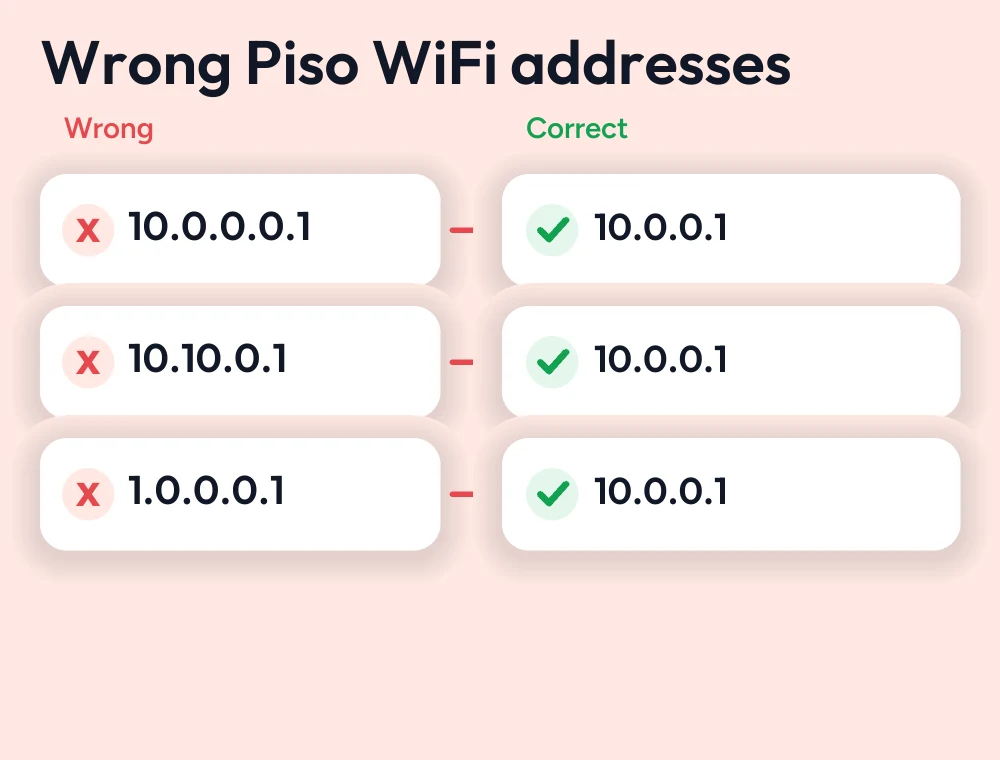
Piso Wifi is a popular network in the Philippines. Millions of users access the Piso Wifi admin portal by entering the correct IP address to access the admin portal. It is essential; however, many users enter the wrong IP address, such as 10.0.0.0.1, 1.0.0.0.1, or 10.10.0.1. However, these IPs look the same, but a single-digit mistake makes them incorrect, and users face errors like the Piso WiFi login page not working.
If you’re a Piso network user and want to know what the correct Piso WiFi default IP is, then in this guide you’ll know the default IP and understand the most common Piso WiFi IP address errors. By following this guide, you’ll be able to identify the correct IP and solve troubleshooting IP errors quickly.
What Is the Correct Piso WiFi IP Address?
The correct Piso Wifi login IP is 10.0.0.1. This IP address is used to access the admin portal where users can start internet sessions, use the pause time feature, and enter a voucher code. The network owner can change the Wi-Fi name, SSID, and password; create vouchers; or manage connected devices.
Why Do Piso WiFi IP Address Errors Happen?
The Piso Wifi IP address error happens because of typing mistakes. Sometimes users enter invalid IPs, such as 10.0.0.0.1 or 10.10.0.1. These addresses are incorrect, and the user will face slow loading and get frustrated because the login page is unable to open. Always make sure to verify the correct IP address before accessing the login page.
Common Piso WiFi IP Address Mistakes
| Incorrect IP Address | What Happens? | What You Should Do |
|---|---|---|
| 10.0.0.0.1 | This is one of the most common typing mistakes. The extra 0 makes the IP address invalid, so the Piso WiFi login page won’t open. | Remove the extra 0 and enter http://10.0.0.1 in your browser. |
| 1.0.0.0.1 | Users sometimes miss the 0 after 1, resulting in an incorrect IP address that cannot access the Piso WiFi login portal. | Double-check the IP address and use http://10.0.0.1 while connected to the Piso WiFi network. |
| 10.10.0.1 | This IP address belongs to a different network configuration and is not the default login address for most Piso WiFi systems. | Replace 10.10.0.1 with 10.0.0.1 and refresh the page. If it still doesn’t work, verify that you’re connected to the correct WiFi network. |
How to Fix Piso WiFi IP Address Errors
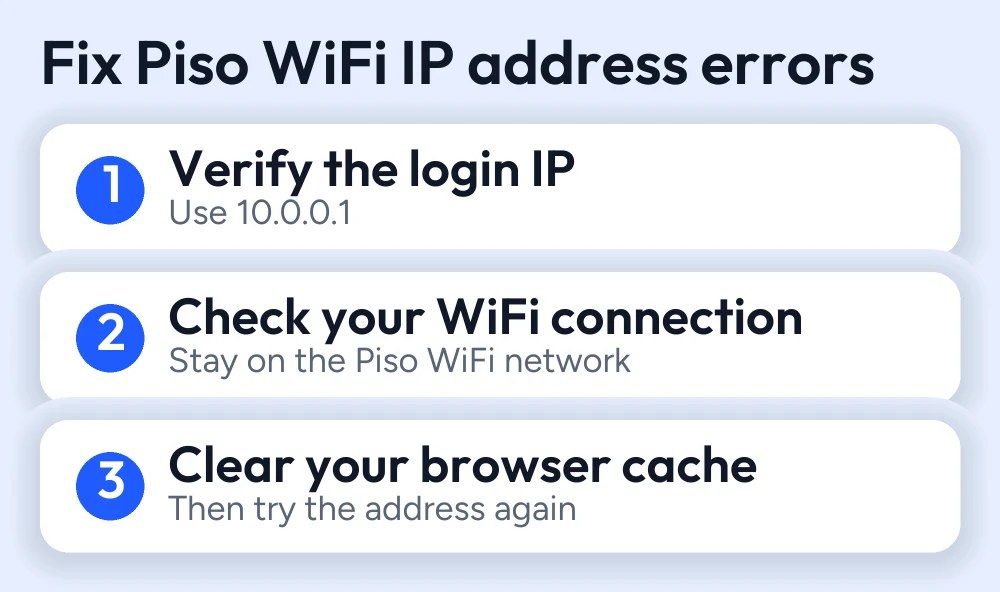
Verify the Correct Login IP
Before accessing the admin login page, make sure to check the correct IP address. Sometimes users face Piso WiFi login page not working issues because they enter the incorrect address.
Check Your WiFi Connection
Make sure your device is connected to the wifi network; if your device is not connected, then you’ll not be able to access the admin panel and will face IP errors.
Clear Your Browser Cache
If you’re facing slow login page loading issues, clear your browser cache; old browsers cache outdated cache and cookies.
Tips to Avoid Piso WiFi IP Address Errors
- Always enter the valid IP address 10.0.0.1 in the address bar
- Make sure to enter your IP in the web browser address bar
- Avoid typing mistakes such as entering 10.0.0.0.1 or 10.10.0.1 IPs; these are incorrect
- Keep your browser updated and clear your browser cache before entering the IP address
- Connect your device to the correct Piso Wi-Fi network
- Save http://10.0.0.1 as a bookmark; in future, it will help you to access the login panel easily
Conclusion
Many users use Piso WiFi networks. Some users buy their internet sessions with coins, while some users use vouchers. In most cases, users face Piso Wifi login page not working issues because they enter an incorrect IP address. Always remember the correct IP is 10.0.0.1; other IPs are incorrect or not accepted by Piso Wifi. If you’re a Piso Wi-Fi user and want to solve your IP issues, by following this guide, you’ll be able to understand the correct address and in the future be able to access login pages more efficiently.
FAQs
Why doesn't 10.10.0.1 or 10.0.0.0.1 work?
Because these IP addresses, 10.0.0.1 or 10.10.1, are incorrect, caused by a typing mistake, they have one extra digit, 0, which makes them invalid.
Can I use 1.0.0.0.1 to log in?
No, 1.0.0.0.1 is not the correct IP. If you want to log in to the Piso WiFi admin portal, always use the 10.0.0.1 IP.
How do I fix Piso WiFi IP address errors?
Double-check that you're entering the correct IP in the address bar, or ensure that your device is connected to the correct Piso network.
More Piso WiFi guides
- Piso WiFi 10.0.0.1 admin login guide
- Piso WiFi login issues and fixes
- Piso WiFi pause time guide
- Piso WiFi voucher guide
Looking for your router brand? See the router login guides or go back to the Piso WiFi guides hub.


